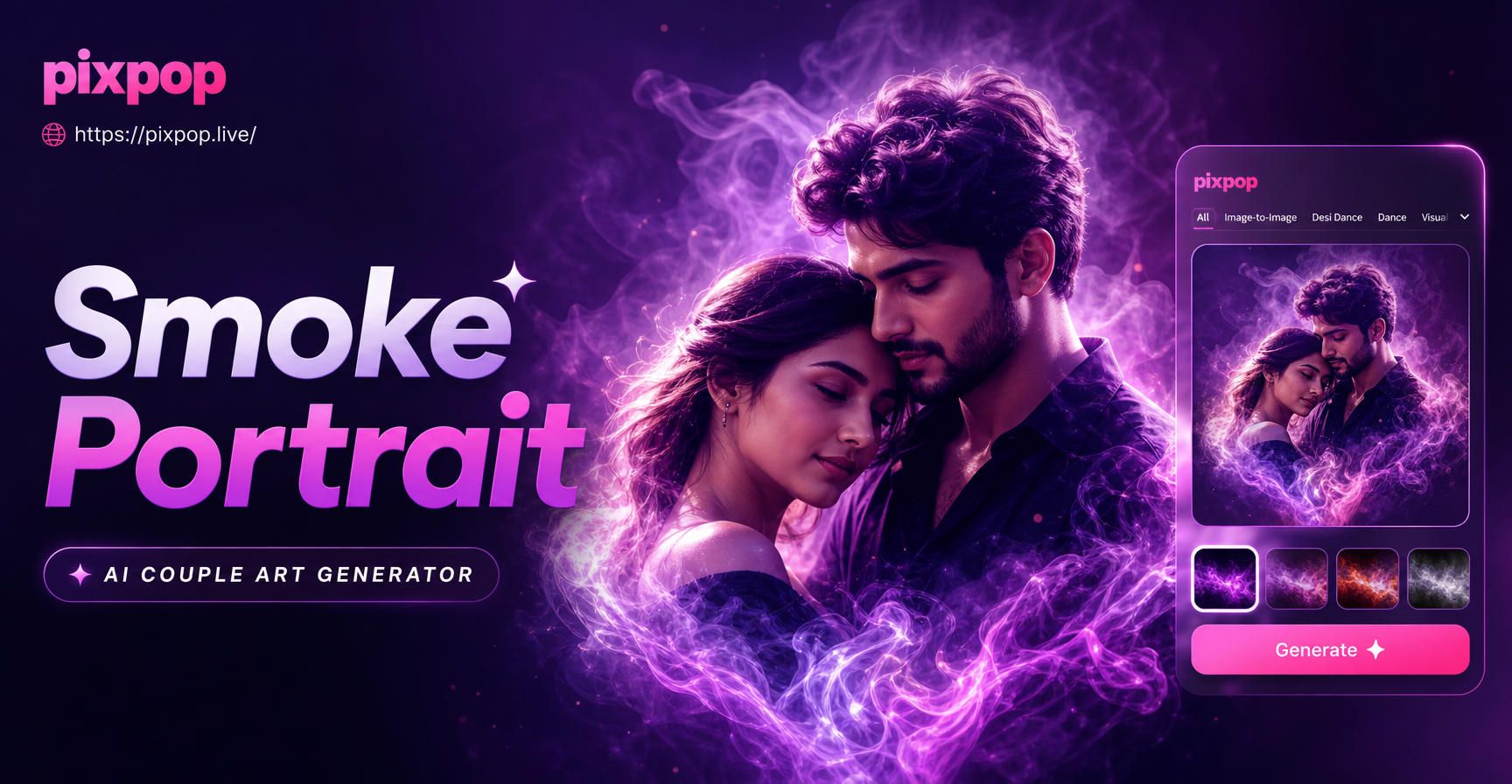
What Is a Smoke Effect Couple Portrait Generator?
A smoke effect couple portrait generator is an AI powered tool that transforms ordinary couple photos into dramatic, artistic portraits filled with swirling smoke, colored mist, or atmospheric fog. Instead of setting up a studio with fog machines and professional lighting, you can use an app like pixpop to achieve a similar high impact look in seconds. The generator uses a combination of image to image transformation and style filters to preserve the couple's faces and connection while replacing the background or adding smoke elements around them.
This type of generator is especially popular for anniversary posts, engagement announcements, and social media content because it creates a moody, romantic aesthetic that ordinary snapshots cannot match. With pixpop, the entire process happens on your Android phone, and you do not need design skills or advanced photo editing experience.
Why Smoke Effects Work So Well for Couple Portraits
Smoke adds drama, mystery, and emotional depth to a portrait. The soft, curling shapes can symbolize passion, connection, or even transformation, which makes it a natural fit for romantic imagery. Here are a few reasons smoke effects elevate couple portraits:
- Mood and atmosphere: Dark smoke backgrounds create a cinematic, editorial feel that stands out on social feeds.
- Color storytelling: Red smoke suggests passion, blue smoke feels calm and dreamy, and pink or lavender smoke adds a soft, romantic touch.
- Focus on the couple: A smoky background removes distracting details and keeps the viewer's attention on the couple's expressions and body language.
- Versatility: You can use smoke effects for engagement photos, wedding teasers, date night posts, or creative profile pictures.
How to Create a Smoke Effect Couple Portrait with pixpop
pixpop is an all in one AI design app available on Google Play. It combines text to image generation, image to image style transfer, and video creation in one place. The app includes a huge library of style templates and filters, so you can either start from a written description or upload a photo and apply a smoke effect directly.
Follow these steps to make your own smoke effect couple portrait:
- Download the app: Install pixpop from Google Play and open it on your Android device.
- Choose your starting point: Tap the image generation option. You can upload an existing couple photo for image to image transformation, or start a new image from a text prompt.
- Upload or describe: If you have a couple photo, upload it and keep the faces clear. If you prefer text to image, type a prompt such as "romantic couple surrounded by red and black smoke, cinematic lighting, dark background."
- Select a style: Browse the style templates and choose one that matches the mood you want, such as cinematic, fine art, or dark fantasy. You can also let the AI interpret your prompt directly.
- Generate and refine: Generate the portrait. If the smoke is too heavy or obscures the faces, adjust your prompt or choose a different reference image. You can generate multiple versions and pick the best one.
- Save and share: Download the final image to your phone and share it on Instagram, TikTok, or with your partner.
Best Prompts for Smoke Effect Couple Portraits
These prompts work well with pixpop's text to image feature. You can also use them as creative direction when applying image to image effects to a photo.
- Classic red smoke romance: "A romantic couple standing close together, red and black smoke swirling around them, dramatic studio lighting, dark background, cinematic color grading, highly detailed faces."
- Soft pastel embrace: "A couple embracing in soft pink and lavender smoke, dreamy backlight, delicate wisps of colored vapor, ethereal atmosphere, fine art portrait photography."
- Blue and silver mist: "A couple holding hands in a cool blue smoke filled room, silvery mist curling around their silhouettes, moody cinematic lighting, cold color palette, high contrast."
- Golden hour with smoke: "A couple kissing near a window, golden light mixing with thin white smoke, warm tones, soft focus background, romantic editorial style."
- Dark fantasy couple: "A couple in dark elegant clothing surrounded by black and purple smoke, mysterious atmosphere, dramatic rim lighting, fantasy movie still, ultra detailed."
- Neon smoke night portrait: "A couple under neon lights with pink and cyan smoke enveloping them, urban night vibe, cyberpunk aesthetic, vibrant colors, sharp focus on faces."
- Minimalist white smoke: "A couple standing back to back with clean white smoke flowing between them, bright studio background, minimalist composition, soft diffused lighting."
- Autumn smoke couple: "A couple walking through falling leaves with warm orange smoke trailing behind them, cozy autumn atmosphere, shallow depth of field, romantic film photography."
When using these prompts, you can modify the colors, mood, and pose to match your own photo or style. For image to image, upload a clear photo of the couple and then mention the smoke color and atmosphere in the style description.
Tips for High Quality Smoke Portraits
- Start with a sharp photo: A clear, well lit couple photo gives the AI the best facial details to preserve. Avoid heavy shadows or motion blur.
- Keep faces unobstructed: If the smoke covers the faces, reduce the effect intensity or add a prompt instruction like "faces clearly visible."
- Use color contrast: Choose a smoke color that complements your outfits. For example, red smoke works well with black and white clothing, while pastel smoke pairs nicely with neutral tones.
- Experiment with multiple generations: AI results vary, so generate several versions and select the one where the smoke placement looks natural and the couple remains recognizable.
- Adjust before saving: pixpop lets you try different filters and prompts quickly. Do not settle for the first result if the smoke looks fake or the faces are distorted.
Common Issues and How to Fix Them
Sometimes the first generated portrait may not look perfect. Here are common problems and simple fixes:
- Faces look distorted: Use a higher resolution source photo and make sure both faces are clearly visible and not partially cropped.
- Smoke looks unnatural or blurry: Add words like "sharp smoke detail" or "crisp wisps of smoke" to your prompt. Choose a style template that emphasizes fine detail.
- Background smoke hides the couple: Ask the generator to keep the couple in the foreground and use a lighter smoke effect. For example, "soft smoke only in the background."
- Colors look washed out: Specify vivid colors in the prompt, such as "rich red smoke" or "high saturation blue smoke."
- Style does not match your photo: If image to image is not working well, try text to image with a detailed description of the couple's pose and clothing instead.
Frequently Asked Questions
Can I use pixpop for free?
pixpop offers free access to many of its AI features, including image generation and style filters. Some premium templates or higher resolution exports may require a subscription, but you can start creating smoke effect couple portraits without paying.
Do I need design skills to use a smoke effect couple portrait generator?
No. The app is designed for beginners. You upload a photo or type a prompt, choose a style, and generate. The AI handles the complex editing.
Can I use my own couple photo with pixpop?
Yes. pixpop's image to image feature lets you upload a photo from your gallery and apply a smoke effect while preserving the couple's facial features and overall composition.
What if the smoke hides our faces?
If the smoke is too heavy, generate again with a prompt that specifies "faces clearly visible" or choose a lighter smoke style. You can also try image to image with a reference photo that already has good contrast.
Is pixpop available on iPhone?
pixpop is currently available on Google Play for Android devices. Check the official website for the latest platform updates.
Final Thoughts
A smoke effect couple portrait generator like pixpop gives you a fast, affordable way to create romantic, gallery worthy images without a professional photo shoot. By combining a clear couple photo with the right smoke color and style prompt, you can produce dramatic portraits that feel personal and artistic. Download the app, experiment with the prompts above, and turn your favorite couple moments into smoky works of art.