What Makes a Selfie Video Moody?
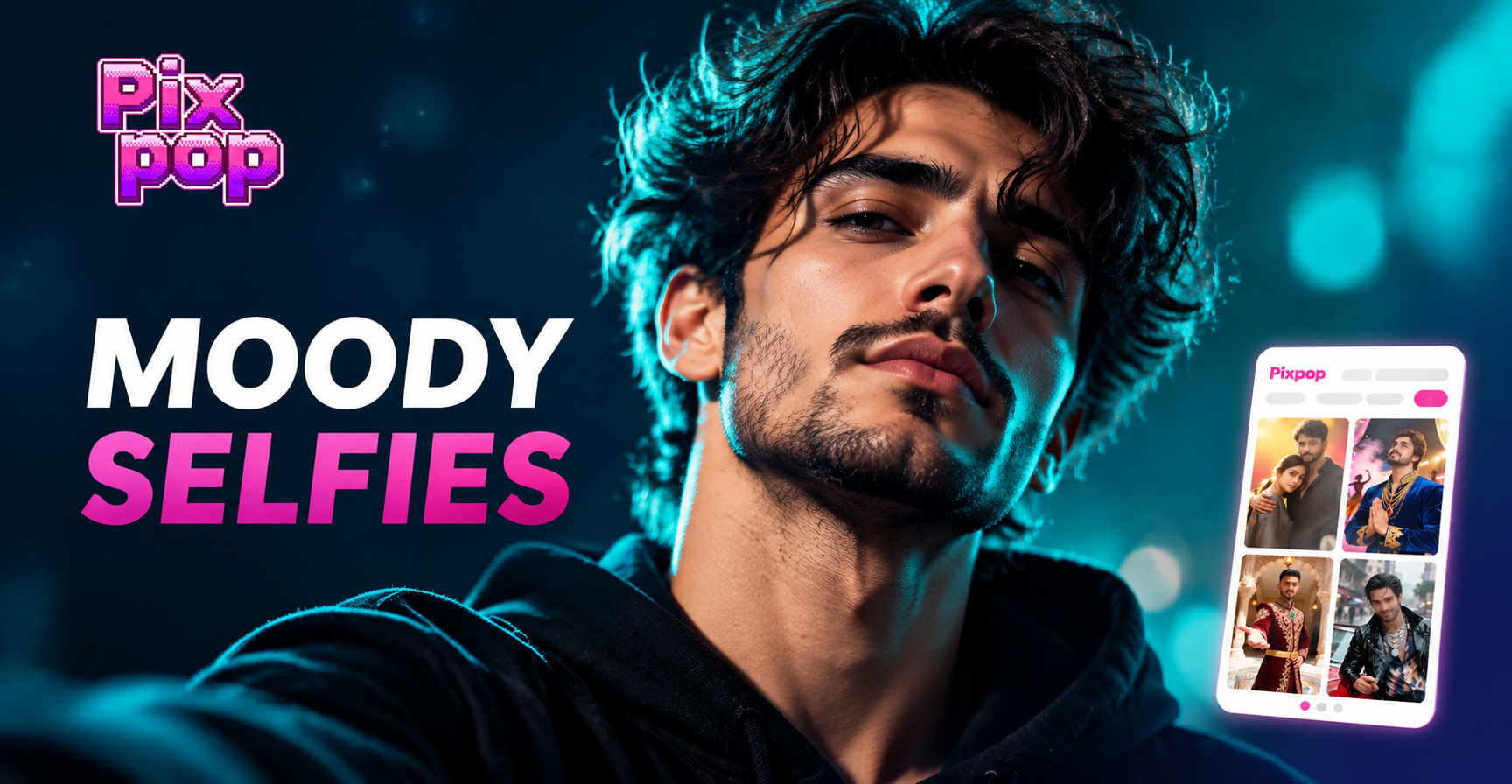
Moody selfie video filters rely on a few consistent visual choices. Deep shadows are the most important element. When a video keeps the background and one side of the face in shadow, the viewer feels intimacy and tension. Soft highlights on the eyes and lips guide attention without making the image look like a bright portrait. The result feels like a scene from a film rather than a casual front camera clip.
Deep Shadows Create Cinematic Weight
Deep shadows add contrast and depth. They remove the flat look that comes from even lighting. To get this effect, avoid overhead ceiling lights. Use a single window light or a small lamp placed at a low angle. The shadow side of the face should stay dark while the lit side keeps detail. A good moody selfie video filter will deepen those shadows without turning the whole frame black.
Muted and Desaturated Color Palettes
Moody filters often lower saturation. They push skin tones toward olive, gray, or cool amber. Some filters keep a single warm accent, such as a candle or a streetlight, while the rest of the frame stays muted. This color contrast feels emotional without being overly dramatic.
Slow Pacing and Intentional Movement
Moody selfie videos work best with slow movement. A slow turn of the head, a long blink, or a quiet look away from the lens adds emotional weight. Avoid jump cuts and fast zooms. Let the filter and the shadows carry the visual story.
Why Deep Shadows Create Emotion in Selfie Videos
Shadows hide parts of the face. That hidden space makes the viewer lean in. It creates curiosity and a feeling of introspection. Deep shadows also add a sense of privacy, as if the person is sharing a thought with the camera rather than performing for a crowd. This is why moody selfie videos feel more personal than bright, evenly lit clips.
The Role of Contrast in Emotional Expression
High contrast between light and shadow draws the eye to the brightest part of the face, usually the eyes or mouth. That selective focus mimics how the human eye perceives an intimate moment in a dark room. The emotion reads as quiet and deliberate, not loud or staged.
Why Color Temperature Matters
Cool blue or warm amber tones can change the feeling of a moody selfie. Cool tones suggest loneliness, calm, or melancholy. Warm tones with deep shadows suggest nostalgia, longing, or quiet confidence. Choosing the right color temperature helps the filter match the emotion you want to express.
How to Capture Video for Moody Selfie Filters
You do not need a studio. These steps will give your selfie videos the right foundation for deep shadow filters.
1. Use Low Key Lighting
Set your phone on a stable surface. Turn off overhead lights. Place one light source to the left or right of your face, slightly below eye level. This creates a natural shadow across the opposite cheek. A window, a desk lamp, or a phone flashlight bounced off a wall works well.
2. Choose a Dark or Textured Background
A plain dark wall, a curtain, or a dim room works best. Avoid busy backgrounds because they distract from the facial expression. If your room is bright, use a black sheet or close the curtains.
3. Keep Your Expression Subtle
Moody selfie videos rely on restrained emotion. Do not smile widely or talk. A slow gaze, a slight frown, or a soft exhale reads as intimate and cinematic. Record a few seconds of stillness before moving.
4. Record in the Highest Quality Available
Open your camera settings and choose 4K or the highest resolution. More detail helps the filter preserve skin texture and shadow depth. Avoid digital zoom because it adds noise. Move closer to the camera instead.
Applying Moody Selfie Video Filters with pixpop
The pixpop app is available on Google Play. It includes a large library of AI style filters that work on photos and videos. You can apply a moody filter to your selfie video in a few steps.
- Download pixpop from Google Play and open the app.
- Tap the video or image to video option and select your selfie clip.
- Browse the moody or cinematic filter category. Look for labels like noir, film grain, shadow, and vintage mood.
- Apply the filter and adjust the intensity slider until the deep shadows look natural.
- Export the video and save it to your phone or share it directly to social media.
If you have a still selfie, you can use the AI image to video feature. Upload a photo and choose a moody animation style. The app can add slow motion, blink, and head turn effects while preserving the deep shadow look. This is useful when you want a selfie video from a single frame.
Moody Selfie Video Filter Style Prompts
If you are using an AI video generator or a text prompt based filter, these style prompts will help you get the deep shadow emotional look you want. Each prompt describes a complete visual style. You can copy the prompt or adapt it to your own face and setting.
- Noir selfie video: deep black shadows, single hard side light, gray background, film grain, slow blink, desaturated skin tones, cinematic 24 fps.
- Rainy window selfie video: soft blue gray light, wet glass reflection, dark room, slow head turn, muted colors, heavy shadows on one side.
- Low key portrait selfie video: one warm lamp on the left, deep shadow on the right, dark brown background, subtle breath, 35mm film look.
- Moody candlelight selfie video: flickering warm light, deep black background, slow gaze into lens, soft highlights on eyes, shadow on neck and jaw.
- Vintage film noir selfie video: black and white, strong contrast, glowing skin highlight, dark vignette, slight head tilt, old film scratches.
- Gothic mood selfie video: charcoal tones, deep shadows, slow turn away from camera, pale cool light, dark lips, cinematic haze.
- Late night window selfie video: city lights in soft bokeh, dark room, cool blue side light, slow blink, deep shadow under cheekbones.
- Dramatic directional selfie video: hard shadow across half the face, dark gray backdrop, muted amber skin tone, subtle jaw clench, film grain.
- Melancholy daylight selfie video: overcast window light, soft gray shadows, slow look down, desaturated green background, quiet mood.
- Cinematic shadow selfie video: slash of light across the eyes, deep black shadows, slow head rotation, 50mm film look, heavy vignette.
Choosing the Right Moody Filter for Your Skin Tone
Deep shadow filters can change how skin appears. Choose a filter that keeps your natural undertone while adding shadow. If your skin is warm, look for filters with amber or olive shadows. If your skin is cool, look for blue gray or charcoal shadows. Test the filter on a short clip before exporting. You want the shadow to define your face, not flatten it.
Fair Skin and Deep Shadows
Fair skin can look washed out if the filter is too bright. Choose a filter with stronger contrast and a cool or neutral shadow. Keep a small highlight on the cheekbone so the face does not disappear into the dark background.
Medium and Deep Skin Tones
Medium and deep skin tones hold shadows beautifully. Look for filters with rich black levels but avoid filters that add too much gray. A warm shadow can make the expression feel powerful and grounded. Test different intensities to keep the eyes and lips visible.
Moody Selfie Video Ideas to Try This Week
- A slow head turn from shadow into a single warm light.
- A quiet look down while rain sounds play in the background.
- A close up eye blink with a dark vignette and film grain.
- A silhouette selfie with only the edge of the face lit.
- A candlelit selfie video where the flame flickers on one side of the face.
- A window light selfie on an overcast day with muted green tones.
Editing Deep Shadows and Emotion in Your Clips
Increase Contrast but Protect Skin Detail
Raise contrast slightly to deepen shadows. If the app has a shadow slider, push it down a little. Avoid making the shadow side pure black because you lose the shape of the face.
Add a Subtle Vignette
A vignette darkens the edges of the frame and pulls the eye toward the center. Use a small amount. Too much vignette makes the video look like a tunnel.
Use Film Grain Instead of Smoothing
Many beauty filters smooth skin and remove texture. That works against a moody look. Choose a filter with fine film grain. It adds realism and a sense of memory.
Slow the Movement Slightly
If your selfie video has any motion, reduce the speed by 10 to 20 percent. Slow movement feels more emotional and gives the shadows time to shift across the face.
Common Mistakes That Ruin Moody Selfie Videos
- Overhead lighting flattens the face and removes the shadows. Always switch to a side light.
- Bright backgrounds distract from the emotion. Keep the background dark and simple.
- Too much color saturation makes the clip feel cheerful. Lower saturation or use a muted preset.
- Fast motion and quick cuts break the intimate mood. Shoot longer takes and slow them down.
- Overly smooth skin removes natural shadows and film texture. Use a filter with grain and realistic skin detail.
Frequently Asked Questions About Moody Selfie Video Filters
Do I need a professional camera for deep shadow selfie videos?
No. A modern phone camera with good low light performance is enough. The key is side lighting and a dark background. The filter does the rest.
Which app is best for moody selfie video filters?
pixpop is a good choice because it offers many cinematic and moody AI filters in one mobile app. You can apply them to photos or videos without complex editing skills.
Can I turn a still selfie into a moody video?
Yes. In pixpop, upload a still selfie and use the image to video feature. Choose a slow blink, head turn, or subtle movement style with a dark filter to create a moody selfie video from a single photo.
What lighting gives the deepest shadows for selfie videos?
Use a single hard light placed to the side, slightly below eye level. Turn off all other lights. The side facing away from the light will fall into deep shadow while the lit side keeps detail.
Final Thoughts on Deep Shadows and Emotion
Moody selfie video filters are about restraint. Deep shadows, muted color, and slow movement create an emotional presence that bright, high energy clips cannot. Start with low key lighting, record a few quiet moments, then use the pixpop app to apply a cinematic shadow filter and refine the intensity. The result is a selfie video that feels personal, expressive, and intentional. Download pixpop from Google Play and experiment with the moody filter library until you find the look that matches your mood.