Kali Mata AI video prompts help you generate short devotional clips that honor the fierce yet protective form of the Mother Goddess. Whether you want a cinematic temple scene, a gentle portrait, or a stylized animation, the right prompt makes a huge difference. This guide gives you specific prompts you can copy into an AI video tool, explains how to adjust them, and shows how to fix common weak results.
What Makes a Strong Kali Mata AI Video Prompt?
AI video generators respond to concrete visual details. Instead of writing "Kali Mata dancing," describe her blue or black skin, the number of arms, the objects in her hands, her expression, the background, the lighting, and the camera movement. Include style cues such as "cinematic," "watercolor," "stop motion," or "3D clay" if you want a particular look. If you are using an app like pixpop, choose a matching style filter after entering the prompt to strengthen the result.
Also decide how much traditional iconography you want. Some devotees prefer a gentle, motherly form with hibiscus flowers and oil lamps. Others want a dramatic cremation ground scene with flames and sacred symbols. Both are valid when approached with respect. You can add "peaceful devotional mood, no gore" to any prompt to keep the result soft, or "traditional iconography" to include the more intense symbolic elements.
10 Kali Mata AI Video Prompts to Use
Each prompt below includes visual details and camera movement. Copy one into your text to video tool, or use a still image as the first frame and paste the motion part into an image to video tool.
1. Cinematic Temple Close-Up
Close-up cinematic video of Goddess Kali Mata with dark blue skin, wide intense eyes, a faint glowing red third eye, and disheveled black hair. She wears a garland of red hibiscus and small skulls. She slowly turns her head toward the camera as embers and incense smoke drift across the screen. Dramatic flickering firelight, slow motion, 35mm lens, 4K devotional film look.
This prompt works well for a powerful but controlled introduction. The slow head turn adds life without demanding complex full body motion.
2. Full Body Cremation Ground Scene
Full body shot of Kali Mata standing on a stone platform in a night cremation ground. Her four arms hold a trident, a curved sword, a severed head, and a bowl. Flames rise behind her. Her tongue is extended, and she wears a skirt of symbolic arms and a necklace of skulls. The camera slowly orbits around her. Glowing orange rim light, smoke particles, hyperrealistic temple mural style.
This is a traditional dramatic portrayal. If you prefer a softer version, replace the severed head and skirt with "a lotus and a red silk sari" and add "peaceful devotional mood, no gore."
3. Gentle Devotional Portrait
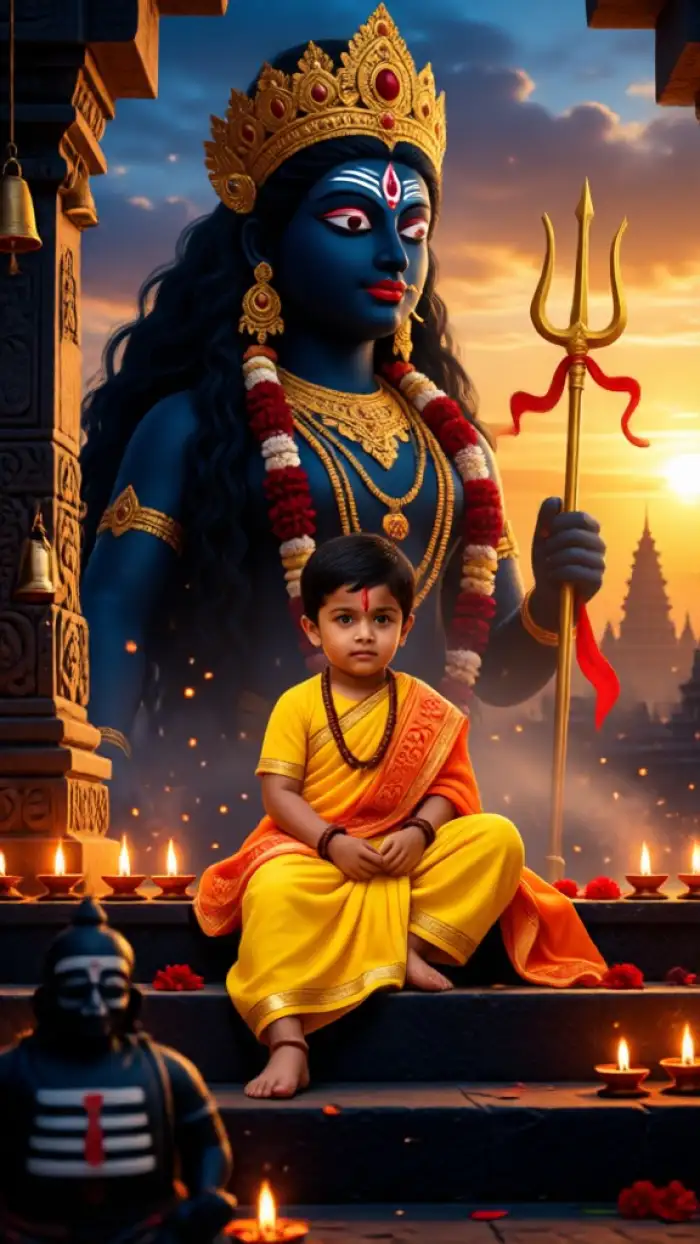
Kali Mata seated in lotus posture with a calm expression, dark blue skin, third eye, and a red and gold saree. Sacred ash and kumkum are on her forehead. Hibiscus garlands hang around her neck. Small oil lamps float around her. Soft golden bokeh, gentle camera push in, peaceful bhajan atmosphere, no gore, pure devotional portrait.
Use this prompt when you want a serene, motherly image that is safe for family sharing or temple social media pages.
4. Image to Video from a Photo
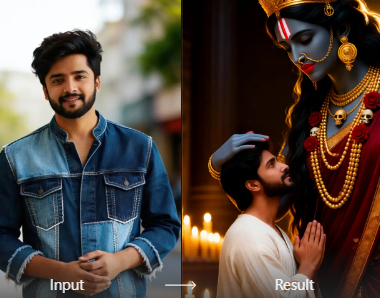
Upload a clear front facing photo or painting of Kali Mata. Use image to video to add subtle movements: blinking eyes, swaying garland, flickering oil lamp reflections, flowing hair, gentle breathing, and a slow zoom in. Keep the original face locked, realistic motion, 5 second loop.
This is the most reliable way to preserve a specific face or artwork. The AI only animates the still image instead of rebuilding the goddess from scratch.
5. Storm and Lightning Mythological Action
Kali Mata in a dynamic pose with one foot forward, long wild hair whipping in the wind, multiple arms spread holding traditional weapons. Storm clouds and purple lightning flash behind her. Temple bells ring in the distance. Dust particles swirl. Intense red and black color grade, high energy cinematic action shot, slow motion.
This prompt emphasizes motion and drama. It works best in short clips of three to five seconds because longer AI videos may distort the multiple arms.
6. Stylized Ghibli Inspired Animation
Kali Mata in a respectful stylized animation, soft pastel and warm colors, simplified but recognizable iconography including third eye, blue skin, red garments, and multiple arms with symbolic objects. She stands in a twilight temple courtyard with glowing diyas. Gentle breeze, handmade animation feel, no violence, peaceful.
This is ideal for storytelling or devotional reels aimed at younger audiences. The softer style keeps the focus on compassion rather than ferocity.
7. 3D Claymation Devotional Art
Stop motion clay style video of a Kali Mata statue coming to life. Textured clay skin, handcrafted details on the skull garland, soft studio lighting, turntable camera rotation, blinking eyes and a slight head tilt, 3D animation devotional art.
Claymation prompts produce a charming, tactile look. Add "studio background" if you want a clean museum-style presentation.
8. Watercolor Painting in Motion
Watercolor painting style video of Kali Mata standing near a hibiscus bush. Colors bleed softly, paper texture is visible, gentle motion flows through the flowers and fabric, peaceful ambient mood, fine art devotional loop.
This prompt turns the video into living art. It is especially effective for festival posters and digital greeting cards.
9. Festival Pandal Documentary Shot
Durga Puja pandal at night with a large Kali Mata idol decorated with marigold and hibiscus. Devotees stand with folded hands. Incense smoke drifts through the air. Diya lights glow warm orange. The camera glides toward the idol. Documentary style, shallow depth of field, festive atmosphere.
This prompt produces context rich scenes that feel like real event footage. It is useful for cultural documentaries or social media highlights.
10. Extreme Macro of the Eyes
Extreme close-up of Kali Mata's eyes and third eye. She blinks slowly. Flames reflect in her eyes. Traditional kohl lined eyes, red bindi, dark blue skin texture, subtle camera drift, ethereal glow, cinematic macro.
A macro shot hides complex hand and body distortions that often appear in full body AI videos. It is a safe way to get an emotionally intense clip.
How to Adapt These Prompts for Different AI Video Tools
Text to video tools work best when you write the scene as a single flowing paragraph, just like the prompts above. Add "smooth motion, stable lighting, no extra hands, no text, no watermark" only if the tool supports negative prompts or if you notice a specific issue.
For image to video, upload a high quality reference image and use a much shorter prompt such as "Kali Mata gently blinking, garland swaying, oil lamp flickering, keep face locked." The reference image carries most of the visual information, so the motion prompt only needs to describe movement and mood.
Many mobile AI video apps, including pixpop, offer style filters like cinematic, watercolor, anime, and 3D clay. Select a filter that matches the prompt style before generating. This helps the model stay consistent instead of drifting into a generic realistic look.
Common Weak Results and How to Fix Them
- Distorted multiple arms. Reduce the number of arms to two or four, and name each object explicitly. Use an image reference of the correct iconography.
- Changing face. Add "preserve the original face" or "keep face locked" especially when using image to video.
- Overly violent or gory output. Add "peaceful devotional mood, no gore, no blood" to soften the result. This is often necessary for family friendly content.
- Flickering or jumpy frames. Add "stable lighting, smooth camera movement, high frame rate" and generate shorter clips.
- Incorrect symbols. Replace vague words with specific objects: trident, curved sword, bowl, lotus, hibiscus garland, third eye, red saree. The more precise you are, the more accurate the result.
Example Workflow: From Prompt to Finished Video
A simple workflow keeps results consistent. First, choose a base prompt from this page and paste it into your text to video tool. Second, generate a three to five second clip at the highest available quality. Third, watch the result and note any distortions. Fourth, edit the prompt by adding specific object names or camera directions. Fifth, generate again. If you have a favorite still image of Kali Mata, switch to image to video and use the short motion prompt from above to animate the photo while keeping the face unchanged.
This iterative process works with almost any AI video app. The key is to change only one or two words per attempt so you can see which detail caused the improvement.
Common Use Cases for Kali Mata AI Videos
- Festival reels for Durga Puja or Kali Puja
- Devotional music videos with bhajans
- Art projects exploring traditional iconography in modern styles
- Educational clips about Hindu mythology
- Digital greeting cards and temple social media posts
Each use case benefits from a different prompt style. A festival reel might use the pandal documentary prompt, while an art project might prefer watercolor or claymation.
A Respectful and Creative Approach
Kali Mata is not a generic character. She is a central deity in Hinduism, especially in Bengal and other parts of India. When you create AI videos of her, keep the imagery dignified. Avoid turning sacred symbols into jokes or memes. If you are unsure about a symbol, look at traditional paintings or consult knowledgeable sources before adding it to a prompt.
Creativity does not require disrespect. You can still make bold, visually rich videos while preserving the devotional essence. The best Kali Mata AI video prompts are those that balance clear artistic direction with an understanding of the goddess's cultural and spiritual meaning.
Ready to Create Your Own Kali Mata Video?
Start with one of the ten prompts above. Generate a short clip first, review the details, and then make small changes to the prompt. If the result feels too intense, switch to the gentle portrait or watercolor prompt. If it feels too soft, add "traditional iconography, flickering firelight, dramatic slow motion." With practice, you will learn which words produce the mood you want.
Download the app and enter a prompt to see how fast you can turn a devotional idea into a moving video.